Operation & pages
Structure of the web interface, rotary knob and all pages – clock, weather, stocks, pictures, news, info text.
Operation via the web interface
The web interface runs directly on the clock – no app, no account, no cloud. It is deliberately built in two levels:
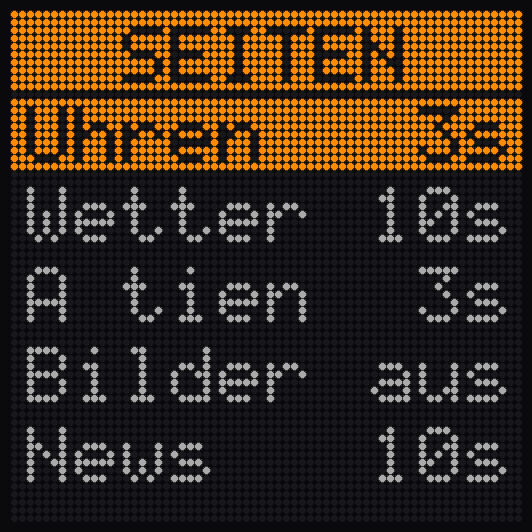
- The main page shows “Pages & display duration”: here you decide what the clock shows and for how long. Each page has a duration field, “Off” hides it completely. Apply with “Save”.
- Below it the “Settings” tile: one sub-page per topic – clock, weather, stocks, pictures, news ticker, info text, PC monitor, energy, display & night, system. “← Back to overview” takes you back at any time.
Operation on the device (version with rotary knob)
| Operation | Function |
|---|---|
| Turn | browse through the pages |
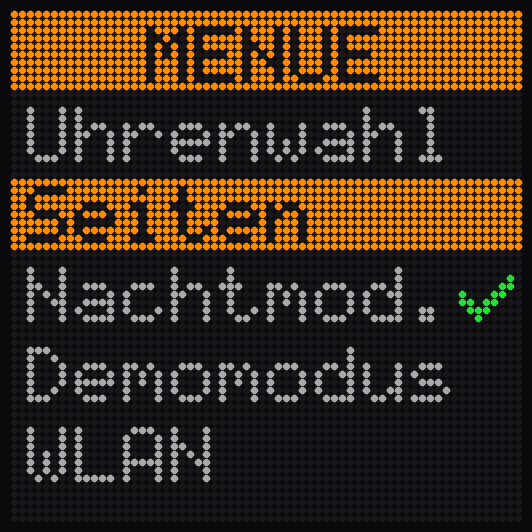
| Press | Open menu: brightness, page durations, clock designs and more |
| Turn in the menu | Change value / select item |
| Press in the menu | confirm |
| Long press | back / leave menu |
The pages in detail
Clock
Mark any number of designs for the playlist – the clock rotates through them automatically: from classic (7-segment, pixel font) to playful (Matrix, night sky, Snake, Space Invaders, Swiss German word clock). Plus transition animation (fade, scroll, flip, rain), colour, 12/24 h, seconds and date on/off.
Weather
Choose the location by name search – the clock shows weather icon, current temperature, min/max, chance of rain and forecast. Data source is Open-Meteo, free and without registration.
Stocks
Add symbols in Yahoo notation (AAPL, NESN.SW, ^SSMI, BTC-USD, GC=F for gold), assign your own display names, sort the order. Shown as a three-item overview with daily change in percent (green/red) plus optional single pages with daily chart. Cryptocurrencies optionally in real time (“LIVE”); stock prices are delayed by around 15 minutes by the exchanges.
Pictures
Simply drag pictures into the gallery (JPG, PNG, GIF, WebP, BMP) – the browser converts them to 64×64 pixels with live preview. Cropping: fit or fill. Individual pictures can be disabled without deleting them; space for around 150 pictures. Optionally time and date as an overlay on the picture.
News ticker
Choose a source from the list (SRF News, Blick Sport, ARD Tagesschau, business, tech …) or enter your own RSS address. The headlines run through as a ticker.
Info text
A freely selectable scrolling text with a title line – for greetings, notes or hints. Ex works this holds the clock's connection instructions.
PC monitor and energy
These two pages need a little preparation – see the sections PC monitor and Energy.
Question not answered? Happy to help – reply usually within two working days.
Submit a support request To the help overview